iOS · Coming soon to the App Store

Meet in the middle. It's only fair.

MeetMiddle works out the fair midpoint between everyone's starting points, then shows you the cafés, restaurants, pubs and parks right around it. Two postcodes, one tap, no more arguing about whose side of town.

In review Coming soon to the App Store

Free to use. Searching never needs an account.

  • No sign-up to search
  • Exact addresses never stored
  • Built for UK postcodes
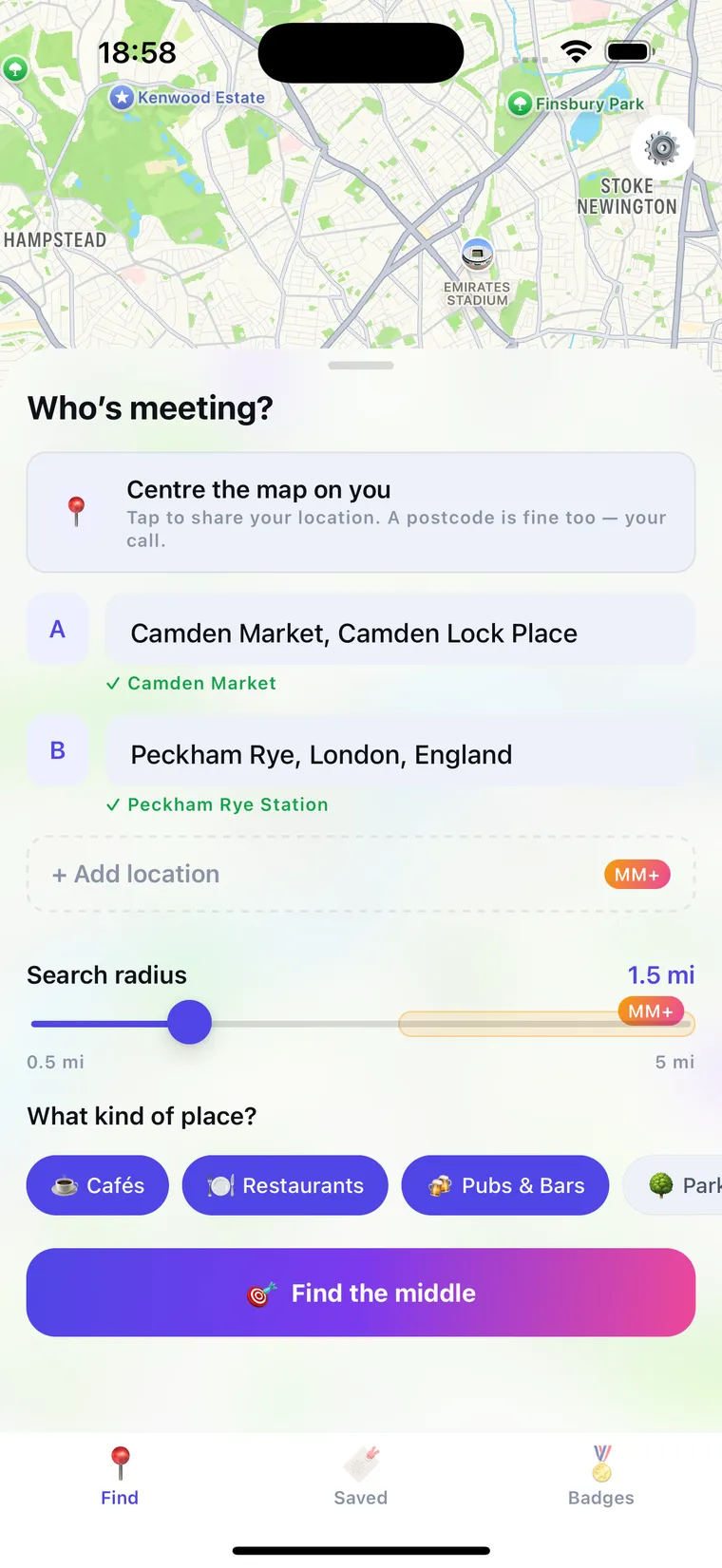
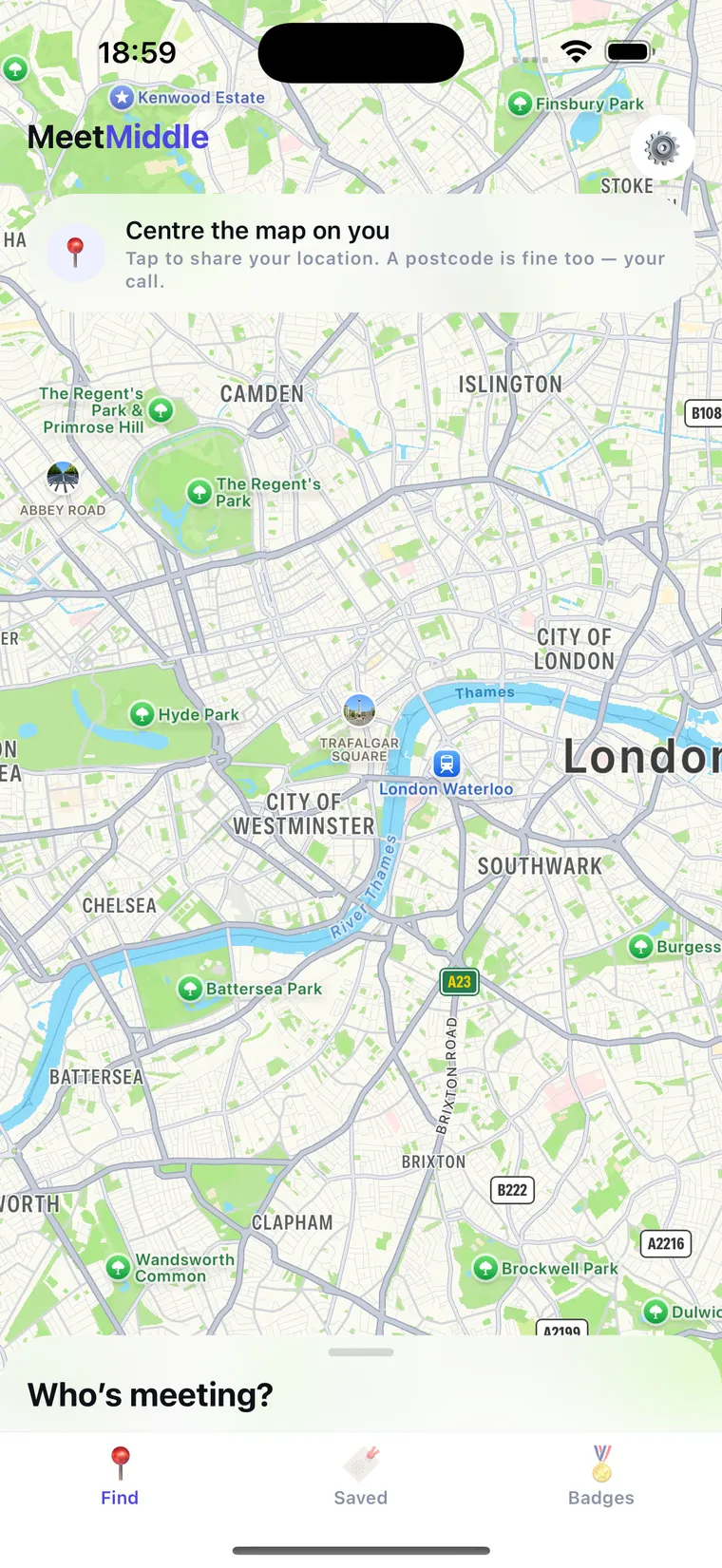
The MeetMiddle home screen: a map of London with the “Who's meeting?” panel starting to rise from the bottom.

Three taps from “where shall we meet?” to a table.

No group chat poll. No one quietly resenting the forty-minute trek.

1

Say where everyone's coming from.

A postcode, an area, a station: whatever you actually know. Type it, or tap once to centre the map on you. Sharing your location is optional; a postcode does the same job.

Pick a search radius, choose what you fancy (cafés, restaurants, pubs and bars, parks), and hit Find the middle.

The “Who's meeting?” panel with location A set to Camden Market, location B to Peckham Rye, a 1.5 mile search radius, and category chips for cafés, restaurants and pubs.
2

Get a midpoint that's actually fair.

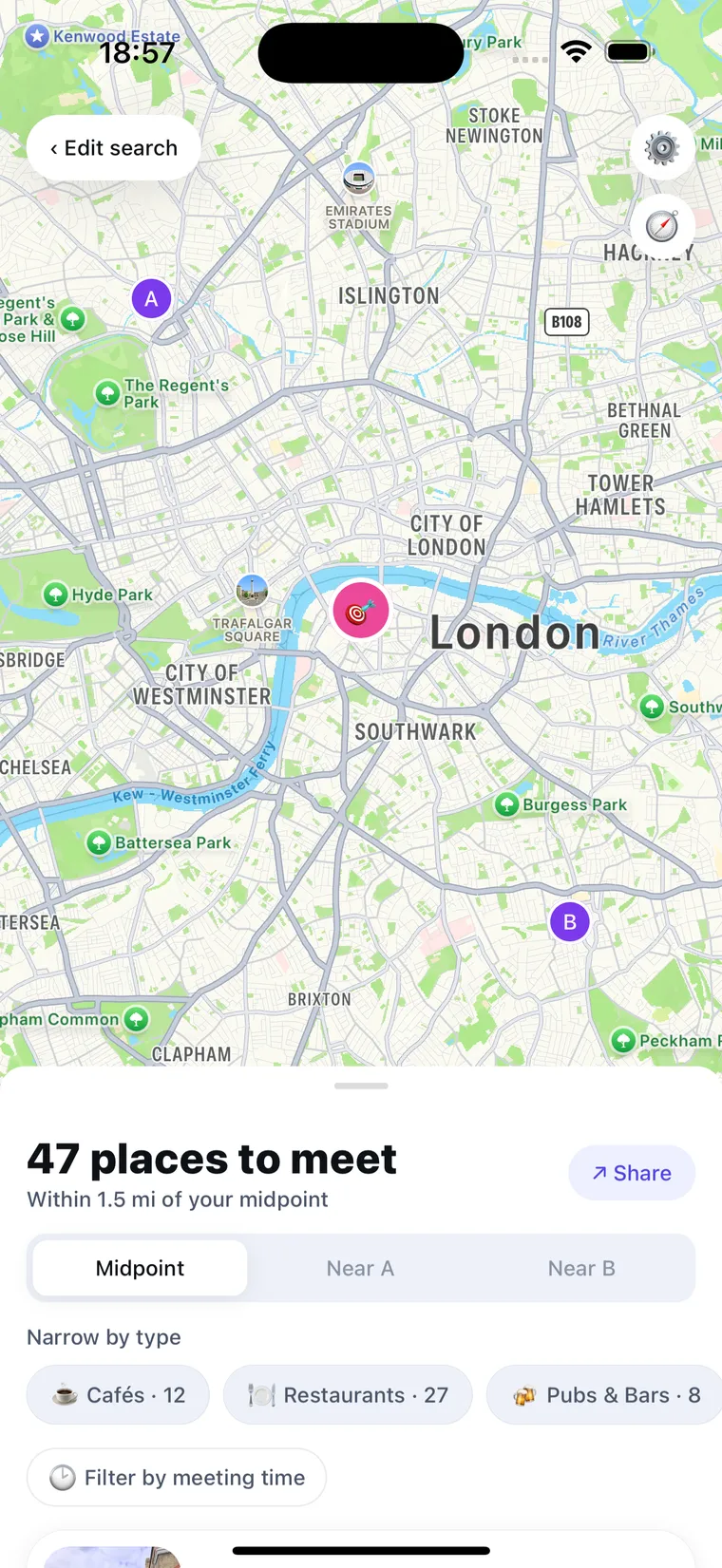
MeetMiddle drops a pin at the true middle of everyone's starting points. Not the middle of the map, and not somewhere convenient for whoever suggested it.

With three or more friends it balances the whole group, so nobody ends up dragged across town while everyone else strolls round the corner.

A map of London showing pins for locations A and B with the pink midpoint pin between them, and a panel reading “47 places to meet”.
3

Pick somewhere worth going.

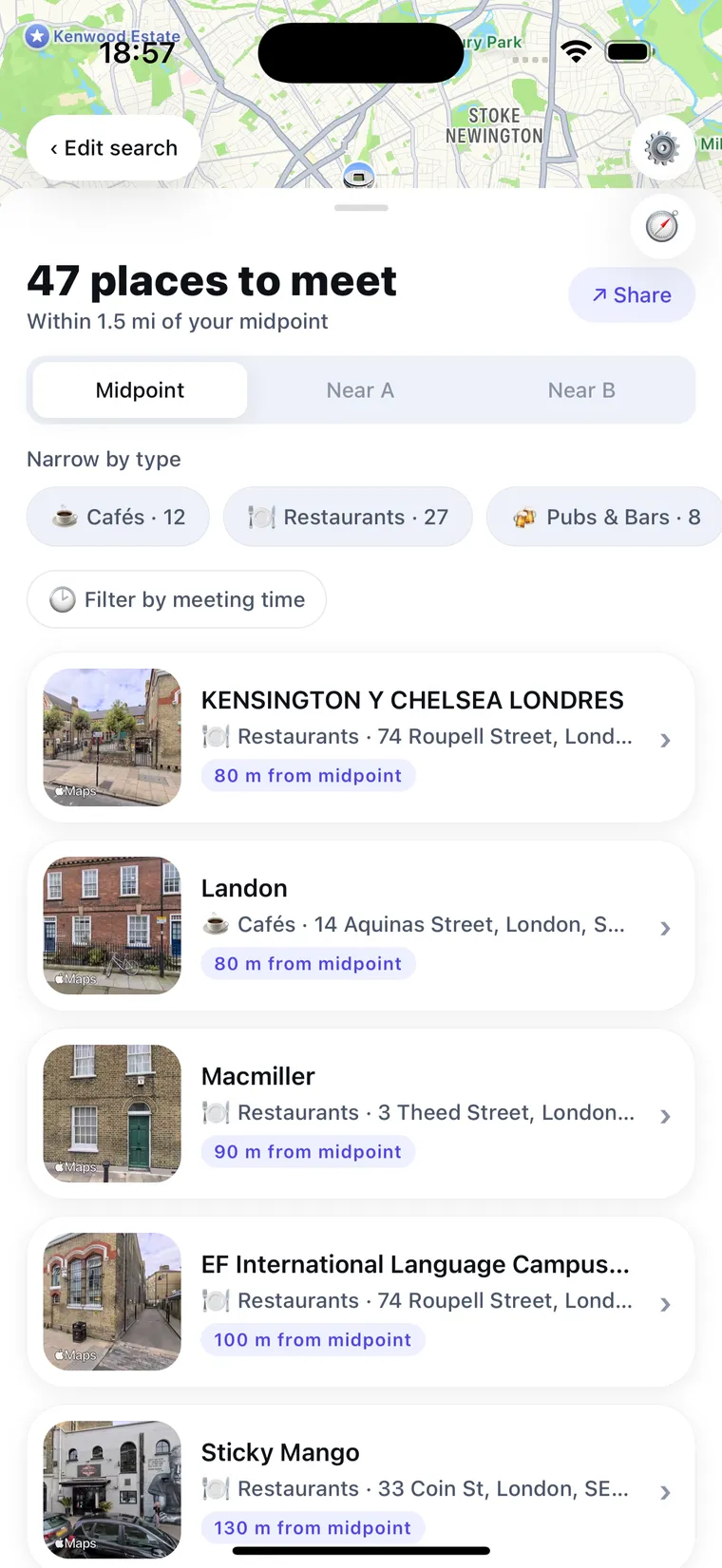
Every venue within your radius, ordered by how close it is to the middle, with the distance printed on each card, so “fair” isn't something you have to take on trust.

Narrow it by type, or filter by the time you're meeting so you don't turn up to a shut door.

A list of venues near the midpoint, each showing its category, address and distance from the midpoint in metres.

Sometimes the exact middle is a roundabout.

So the same shortlist re-sorts three ways, and you choose which kind of fair you need tonight.

Midpoint

Dead even

Closest to the true middle first. The default, and the one nobody can argue with.

Near A

Lean their way

Pulls the shortlist towards the first person. Handy when they're on the last train home.

Near B

Lean your way

Same list, tilted the other direction. Take turns, and it evens out over a year of Fridays.

Small app. Fussy about the details.

Everything here exists because meeting halfway kept going wrong in one specific way.

A midpoint, not a compromise

Balanced across two friends, or up to five with MeetMiddle+, rather than split down the middle of the two loudest.

Open when you're meeting

Set the time you're actually turning up and the list filters to places that will be open when you get there.

Directions and a plan to share

Open the spot in Maps, or fire the whole thing into the group chat so nobody has to screenshot anything.

Keep the ones that worked

Save a meetup and it's there next time. Sign in and your saves follow you to a new phone.

Badges for actually going

Tap “We met here!” when you turn up. Small reward, surprisingly effective at getting plans out of the group chat.

Built for the UK

Postcodes are first-class: full ones, outcodes, areas and stations all resolve. No pretending SE1 9NR is an exotic edge case.

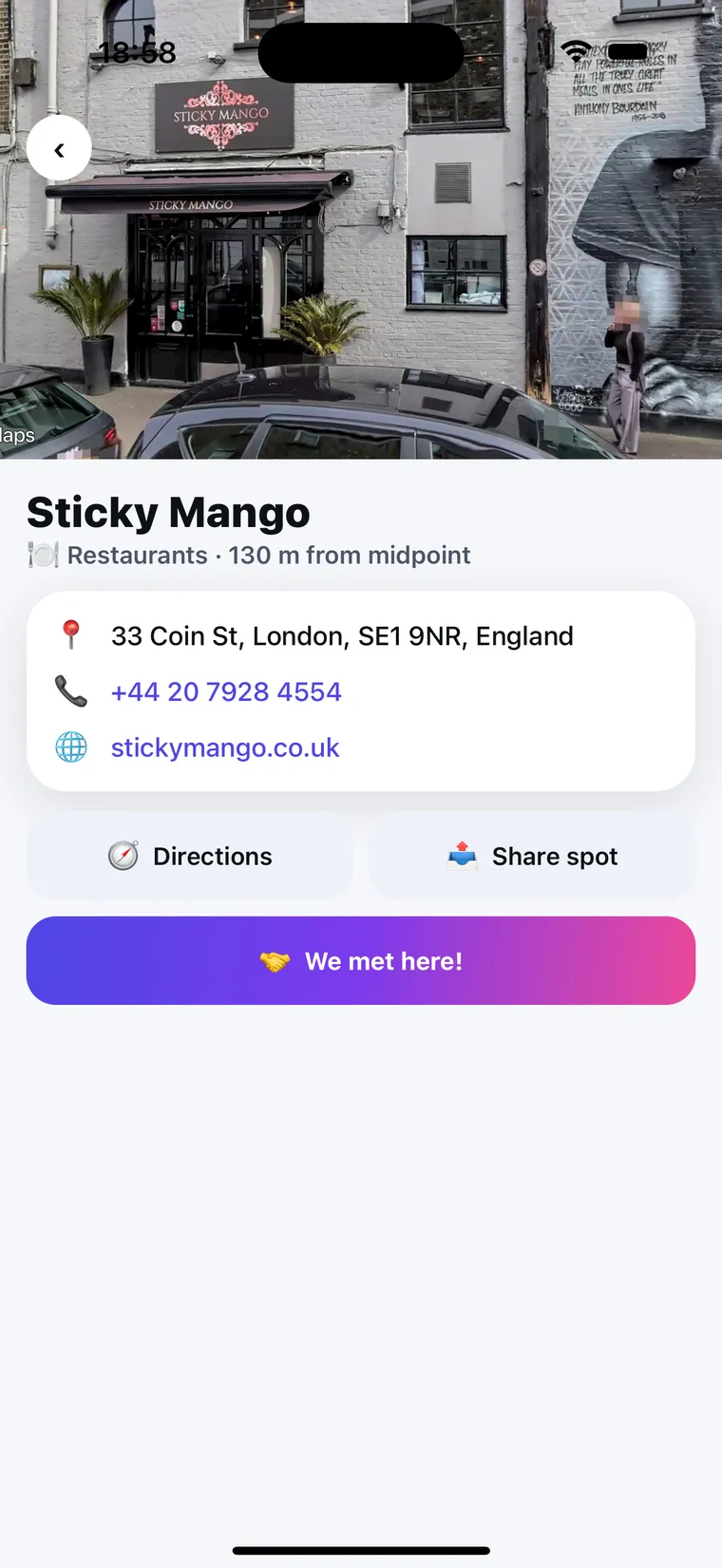
A venue detail card for Sticky Mango showing a photo, address, phone number, website, Directions and Share spot buttons, and a “We met here!” button.

Then get everyone there.

The venue card has the bits you'd otherwise go hunting for in four different apps.

  • Address, phone and website. Tap to call or book without leaving the app.
  • Distance from the middle. Printed in metres, so the fairness is checkable.
  • Directions in one tap. Straight through to Maps from wherever you are.
  • Share the spot. One message with the place and the plan in it.
  • “We met here!” Marks the meetup as done and unlocks badges.

Where you live is nobody's business. Ours included.

Finding a fair midpoint shouldn't cost you your home address. MeetMiddle was built to need as little about you as it possibly can.

Search without an account

The core feature works signed out. You only make an account if you want saved meetups to follow you between devices.

Exact addresses are never stored

What you type is used to work out a midpoint, then let go. Saved meetups keep only a coarse area, roughly a kilometre.

Location permission is optional

Tap to centre the map on you if it's quicker. Decline it and typing a postcode gets you exactly the same result.

Delete everything, any time

Settings → Delete account removes your profile, saves and badges for good. And we don't sell your data to anyone.

Read the full privacy policy →

Free to meet in the middle.

MeetMiddle+ is for bigger groups, a wider net, and no ads.

Free

£0

Everything you need for two people.

  • Midpoints between 2 locations
  • Search radius from 0.5 to 3 miles
  • 10 searches a day
  • 10 saved meetups
  • Supported by small banner ads

No card, no account, no trial to remember to cancel.

MeetMiddle+

£19.99 / year

or £2.99 a month · annual saves you two months

  • Meet up to 5 friends at once
  • No ads, ever
  • Search radius up to 5 miles
  • Unlimited searches every day
  • Unlimited saved meetups
  • MeetMiddle+ exclusive badges

Cancel any time in your Apple ID settings.

Prices shown in GBP for the UK App Store. Payment is charged to your Apple ID at confirmation of purchase and renews automatically at the price and period shown unless cancelled at least 24 hours before the end of the current period. Manage or cancel in your Apple ID account settings. Terms of Use (EULA) · Privacy Policy

Questions people actually ask.

Do I need an account?

No. Finding a midpoint and browsing venues works completely signed out. Signing in, with Apple or a one-time code sent to your email, only exists so saved meetups and badges sync across your devices.

Do I have to share my location?

Never. There's a button to centre the map on you if that's quicker, but typing a postcode or an area gets you the same result. The permission is optional and you can decline it at install and still use everything.

What counts as a location I can enter?

A full UK postcode, an outcode, a town or area, a station, or a landmark. Postcodes are looked up via postcodes.io; everything else resolves through your iPhone's built-in geocoder.

How does it work with more than two people?

MeetMiddle+ lets you add up to five locations to a single search. Rather than averaging blindly, it balances the group so that no one person is disproportionately far from the result.

Is my friend's postcode stored anywhere?

No. It's used to compute the midpoint and then let go. If you save the meetup, only a coarse area, roughly a kilometre across, is kept, never a full address.

When can I download it?

MeetMiddle is with Apple for review now. This page will get a download link the moment it's approved.

Meet in the middle.
It's only fair.

MeetMiddle is coming to the App Store for iPhone. Free to use, with no account needed to find your first midpoint.

In review Coming soon to the App Store